
Website Structure and Pages for New Business: Start with What Actually Matters
When you’re starting a new business, everyone tells you to build a website. It sounds simple enough until you sit down and actually try to map it out.
Do I need an About page? What goes on the homepage? Should I add a blog even if I have no posts yet? Do I need five pages or fifteen?
If you’ve asked yourself any of these questions, you’re not alone. The truth is, your website doesn’t need to be fancy to be effective. But it does need to be clear, intentional, and easy to navigate.
Let’s walk through what a well-structured website looks like for a new business without the jargon or overwhelm. Whether you’re a one-person service brand, a creative freelancer, or launching a local product, this guide will help you get the basics right.

What Does “Website Structure” Even Mean?
Think of your website structure like how a bookstore is organized. When you walk in, you instinctively know where to go: fiction here, non-fiction there, help desk at the front.
Your website should feel the same. People should land on it and intuitively know:
- Who you are
- What you offer
- How to get in touch
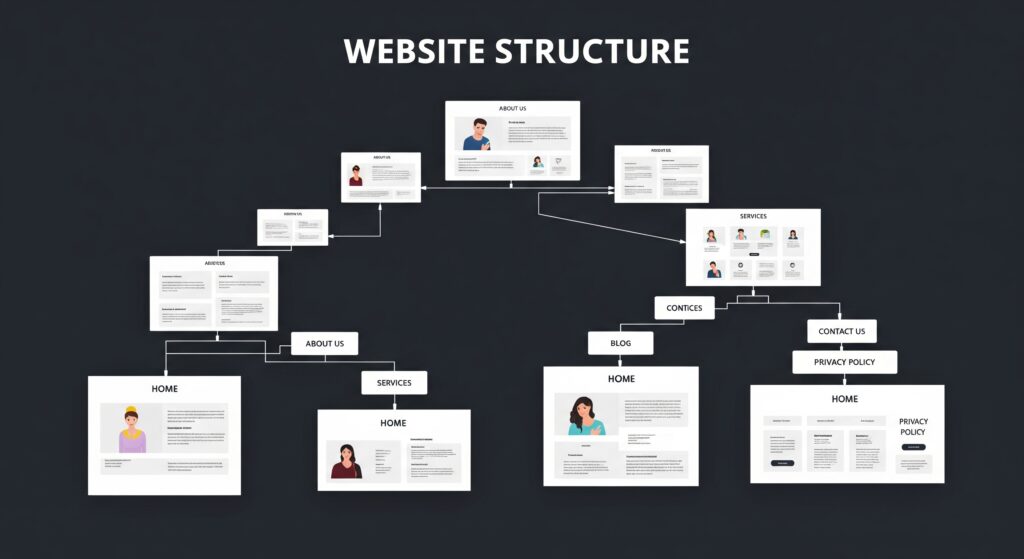
Structure isn’t just about what pages you have it’s also how they’re arranged, how one page connects to another, and how your messaging flows from top to bottom.
When this is done right, your website becomes your best sales tool. When it’s messy or confusing, it becomes a leaky bucket where potential customers drop off before they ever get to know you.
Why Website Structure Matters from Day One
Many new businesses treat the website like a checklist item just get something up and deal with it later. And while that’s understandable, it can hold you back.
Here’s why investing time in a thoughtful structure pays off early:
- Visitors trust clarity: If your website feels easy to navigate and answers their questions, they’re more likely to trust you.
- It impacts conversions: A clear path from interest to action (like booking a call or buying a product) increases the chance they’ll follow through.
- Search engines reward structure: Google and other search engines prefer sites that are logically organized. It helps with rankings over time.
In short, a good website structure helps you look credible, build trust, and turn visitors into customers. That’s a big deal when you’re new and still establishing yourself.
The Core Pages You Should Focus On
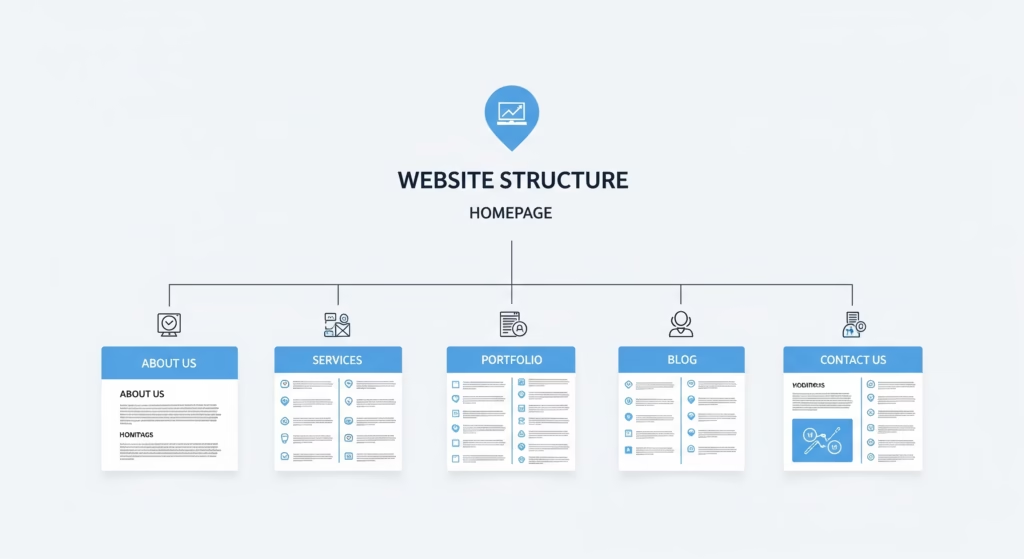
You don’t need ten different landing pages or three layers of navigation to get started. Most new businesses can do really well with five or six thoughtfully written, clearly labeled pages.
Let’s walk through those core pages and what each one should cover.
1. Homepage: Your First Impression
This is where most people will land first, so think of it like your digital storefront. It doesn’t need to say everything but it should give a strong first impression.
Your homepage should:
- Quickly tell people what your business is about
- Highlight your main offering or value
- Make it clear how someone can work with you
- Include one or two calls to action (like “Schedule a Call” or “View Services”)
Many new business owners try to cram too much into the homepage. Instead, think of it like a welcome sign: warm, helpful, and leading them where they need to go next.
2. About Page: Build Connection
This isn’t just a “who we are” page. It’s where potential customers decide whether they like and trust you enough to move forward.
Your About page can include:
- Why you started the business
- What makes your approach different
- Your values or mission
- A short intro to the founder or team (if relevant)
- Maybe a behind-the-scenes photo or personal story
People want to know who they’re dealing with. This is your chance to show the human side of your business.
3. Services or Products Page: Explain Your Offer
This is one of the most important pages on your site. It’s where you spell out what you’re actually selling and how it helps the person reading.
Make sure it clearly covers:
- What each service or product includes
- Who it’s for (and maybe who it’s not for)
- How it works or what the process looks like
- Pricing if you’re comfortable sharing it
- A call to action, like “Book a Consultation” or “Buy Now”
Try to avoid buzzwords or vague descriptions. Instead of “Tailored Growth Solutions,” say something like “We help small business owners build a marketing plan that actually works.”
4. Contact Page: Make It Easy to Reach You
You’d be surprised how many businesses make this hard. If someone wants to reach out, don’t make them hunt for a form or wonder if their message will go into a void.
On your Contact page, include:
- A contact form (simple and clean)
- Your business email
- Optional: phone number, office location, or map
- Social media handles if you’re active there
If you serve a local area, mention your city or region this helps with local SEO. You can also add a small FAQ here to pre-answer basic questions.
5. Testimonials or Case Studies: Show the Proof
Social proof builds trust. Whether you have client quotes, Google reviews, or informal feedback via messages, include it.
A simple testimonial page can go a long way. Even better, if you have results or success stories to share, build those into short case studies. They help people visualize working with you and what they can expect.
Don’t wait until you have 20 glowing reviews. Start with two or three strong ones and build from there.
6. Blog or Resources
This one is optional but powerful. A blog helps in two big ways:
- It improves your SEO by targeting helpful, search-friendly topics
- It positions you as an expert in your niche
You can write about things your clients ask all the time, share how-tos, or even document your journey as a founder. And no, you don’t have to publish weekly. Even one thoughtful post a month adds value over time.
A Few Extra Tips Before You Launch
- Don’t overthink it. You can always evolve your site later. Start with the basics and improve as you learn what your audience responds to.
- Keep your navigation simple. Don’t try to be clever with page names. “About,” “Contact,” and “Services” are perfectly fine.
- Use consistent design. Make sure buttons, fonts, and headings look the same across pages.
- Guide the user. Every page should have a next step whether that’s clicking to another page or filling out a form.
Final Thoughts: Build It Like You’re Having a Conversation
Your website shouldn’t talk at people it should talk to them.
Think of every page as a conversation. What does the visitor want to know? What questions are they asking in their mind? What’s the next best step they could take?
If you can answer those questions clearly and honestly, you’ll already be ahead of many established businesses.
So don’t wait until everything’s perfect. Get the essentials in place, keep it human, and let your website grow with your business.
